









| Excerpt :The Chart of Accounts is the bedrock for any SME seeking accurate financial organization and compliance with global digital invoicing trends. Understanding its components and setup steps simplifies monitoring revenues, expenses, and ensuring report accuracy. |
The Chart of Accounts (CoA) is the cornerstone for any business, especially Small and Medium-sized Enterprises (SMEs), aiming for accurate financial organization and regulatory compliance. Whether you are a small business owner in need of accounting automation or a finance manager for a growing SME, understanding the CoA’s components and setup steps simplifies monitoring revenues and expenses, ensuring financial report accuracy.
However, many businesses struggle with organizing accounts and integrating them with modern digital systems like e-invoicing and tax authority requirements (a universal challenge). This often leads to financial errors or auditing delays.
In this article, we will guide you step-by-step through understanding the Chart of Accounts, its components, and the best practices for its creation. We will also demonstrate how to implement it easily using Qoyod Accounting Software, making your financial management more precise and seamless for your global business operations.
What is the Chart of Accounts (CoA) and Why is it Essential for SMEs?
The Chart of Accounts is more than just a list; it is the detailed map that organizes all your company’s financial transactions. It is often referred to as the Account Tree due to its hierarchical organization, starting from the roots (main categories) and branching out into detailed accounts (sub-accounts). This structure is the key to transforming raw data into analyzable financial information.
Defining the Chart of Accounts
Simply put, the CoA is a numbered or indexed list of all financial accounts used to record transactions. It assigns a unique numeric or alphanumeric code to each account, ensuring its distinctiveness and facilitating easy tracking in daily ledgers and financial reports. The sequence typically prioritizes core accounts like Assets and Liabilities, before moving to Revenues and Expenses. The CoA ensures that every monetary unit entering or leaving your company is recorded in its correct, designated place.
Why the CoA is Fundamental for Small and Medium-sized Businesses (SMEs)
For SMEs, an organized Chart of Accounts is a financial lifeline. Instead of drowning in a mess of invoices and receipts, the CoA ensures:
- Accurate Analysis: The ability to precisely identify the source of profit and the location of loss.
- Swift Decision Making: Providing quick and accurate financial reports that help management make informed decisions about procurement or market expansion.
- Transparency: Building trust with investors or financial institutions when seeking global funding.
Objectives of a Standardized Chart of Accounts
In the global drive to increase financial transparency and align with international standards (such as IFRS), the importance of a standardized CoA has risen. This standardization aims to:
- Ease of Comparison: Allowing for the comparison of financial performance between different companies in the same sector.
- Simplified Auditing: Streamlining the financial and tax auditing process, as the accounting structure is known and uniform.
- Support for Regulatory Reporting: Standardizing the method for preparing data required by government and tax authorities, thereby reducing effort and time.
Its Link to Global Tax and Digital Invoicing Systems
This is the most critical aspect in the modern business environment. To ensure full compliance with global tax and e-invoicing mandates, the Chart of Accounts must clearly segregate accounts related to Value Added Tax (VAT), sales tax, or other localized taxes. Clear separation between:
- VAT/Sales Tax on Sales (Output Tax).
- VAT/Sales Tax on Purchases (Input Tax).
- Accrued Tax Liabilities.
This separation simplifies the preparation of tax returns and minimizes the possibility of errors that could lead to financial penalties.
Read Also:Small and Medium Enterprises Accounting Program
Components of the Chart of Accounts and How to Structure Them?
The CoA resembles your company’s family tree, where every account branches out from its core roots. It’s not as complex as it may seem; understanding its main components enables you to organize your accounts professionally.
Benefits of Using a Standardized Chart of Accounts
Using a clear and unified CoA grants your business significant efficiency and peace of mind. The most important benefits include:
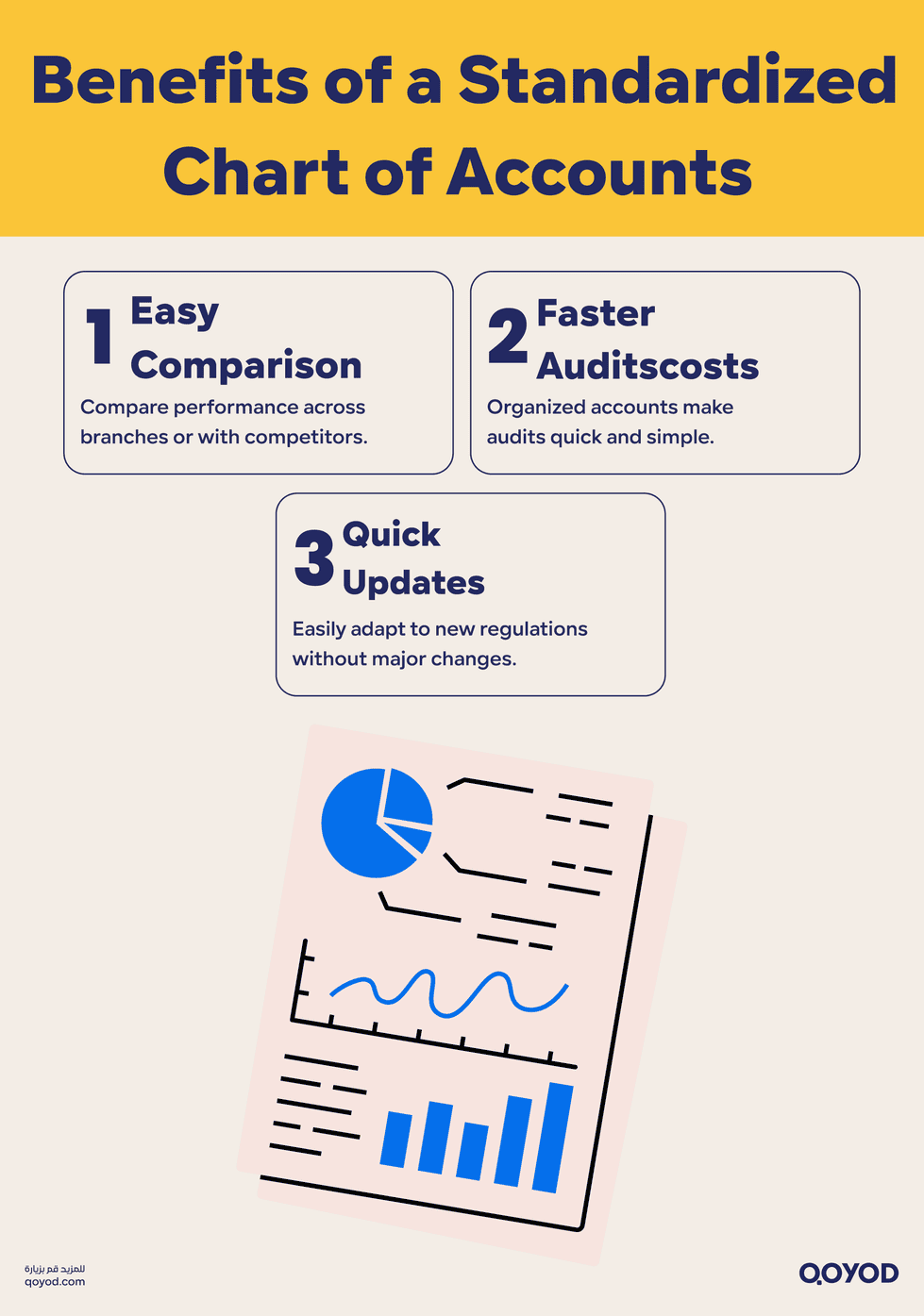
- Easy Benchmarking: You can easily compare the performance of your different branches or even benchmark against other companies in your market, as everyone is speaking the same accounting language.
- Smooth Auditing: When an external auditor arrives or when a tax authority requests reports, everything will be in its familiar, known place, significantly shortening the audit timeline.
- Rapid System Response: When new regulatory updates are issued by governing bodies, your CoA is ready to adapt without needing a complete restructuring.
Primary and Secondary Accounts: The Infrastructure of Your Finances
The CoA structure always begins with 5 core categories, from which all other accounts branch:
- Primary Accounts (Level 1): These are Assets, Liabilities, Equity, Revenues, and Expenses. They are the major titles for everything.
- Secondary Accounts (Levels 2 & 3): Used to classify similar groups. For example: under Assets, you find Current Assets (e.g., Bank Cash) and Non-Current/Fixed Assets (e.g., Buildings and Machinery).
- Detailed Accounts (Level 4 and beyond): This is where actual daily journal entries are recorded. The larger your company, the more detailed levels you will need to track performance (e.g., per department or location).
Classifying Revenues, Expenses, Assets, and Liabilities: Where Does the Money Go?
Coding is crucial in the Chart of Accounts as it dictates where each account will land in your final reports. Here is a general overview:
| Primary Category (Code 1) | Nature | Simple Global Example |
| Assets (1xxx) | Everything your company owns with value. | Cash in the bank, company vehicles. |
| Liabilities (2xxx) | Everything your company owes to others. | Bank loan, amounts due to the tax authority (VAT). |
| Equity (3xxx) | The owners’ investment in the company. | Initial capital, undistributed profits. |
| Revenues (4xxx) | Income from selling your products/services. | Sales from your e-commerce store. |
| Expenses (5xxx) | Costs of running the business. | Employee salaries, office rent bill. |
Practical Implementation Steps for Setting Up the Chart of Accounts: Using Qoyod Accounting Software
Setting up the CoA is a systematic process that requires focus and planning. Do not start entering accounts randomly; follow these steps to ensure the accuracy of your company’s financial structure.
Planning and Organizing Accounts Before Entry
Pre-planning is the most important stage to ensure you don’t have to restructure the CoA later.
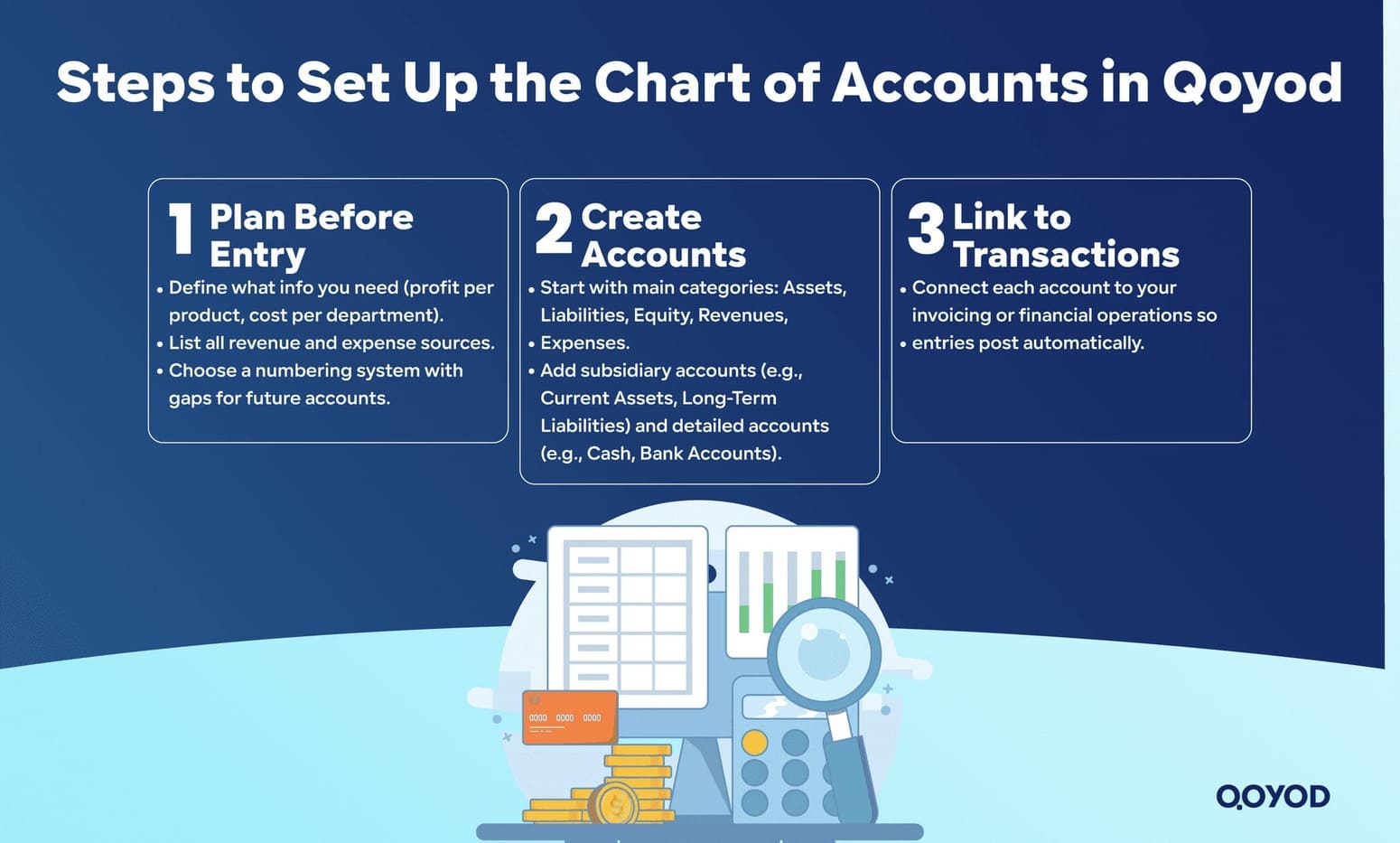
- Define Accounting Objectives: Ask yourself: What essential information do I need at the end of the month? (e.g., profitability per product, cost per department, volume of operational expenses). The CoA must reflect these objectives.
- Map Activities: Create a comprehensive list of all revenue and expense sources your company deals with, including costs related to regulatory compliance.
- Choose a Coding System: Decide how you will number the accounts (e.g., 1 for Assets, 2 for Liabilities). Ensure you leave numerical gaps between accounts to allow for the future addition of new accounts without changing the core coding.
Creating Primary and Subsidiary Accounts and Linking to Transactions
After planning, you can start the actual building of your Chart of Accounts:
- Start with the Basics: Create the five main categories (Assets, Liabilities, Equity, Revenues, Expenses).
- Progress in Detail: Begin by creating subsidiary levels (e.g., Current Assets, Long-Term Liabilities). Then, move down to the detailed level (e.g., Cash in Petty Cash, Bank of America Account).
- Link Accounts to Journal Entries: Ensure every account is linked to the financial operation tool (e.g., link the Sales Revenue account directly to your invoicing and sales system). This guarantees that every journal entry is automatically recorded in the correct account.
Steps for Entering Accounts and Customizing the CoA in Qoyod Accounting Software
Qoyod Accounting Software offers great flexibility in managing your CoA, starting with a ready-made chart compatible with global accounting standards:
- Starting with the Ready-Made Chart:
- Upon first subscription, Qoyod provides a default Account Tree containing the five primary accounts and their essential subsidiary levels.
- Manual Modification and Customization:
- You can add new subsidiary accounts to meet your specific needs, such as adding a detailed account for Digital Marketing Expenses.
- Pay attention to the level of detail: Qoyod supports 7 levels for the Chart of Accounts; therefore, you can add deep layers of detail (e.g., Assets > Fixed Assets > Vehicles > Sales Team Vehicle) as needed.
- Entering Opening Balances:
- Opening balances (such as the bank balance and capital at the start of the period) are recorded via the Opening Balances page.
- This step is crucial to ensure the CoA starts correctly and reflects the company’s balance sheet when you begin using the software.
- Adding Manual Entries (When Needed):
- You can manually add journal entries to record transactions not linked to regular sales and purchase operations (e.g., Depreciation).
- These entries automatically update the accounts in the CoA and refresh your financial reports.
- Using Easy Entries (Templates):
- To simplify repetitive operations, you can use the Easy Entry templates provided by Qoyod (e.g., payroll accounting).
- This ensures the journal entry is recorded correctly and consistently in the CoA for every recurring transaction.
These steps ensure a solid and flexible financial structure is built within Qoyod Accounting Software, making your CoA management highly accurate.
Tips for Simplifying Daily Operations and Maintaining Accuracy
To make the Chart of Accounts an easy-to-use daily tool instead of a burden, follow these tips:

- Clarity in Naming: Use clear and direct account names (e.g., Rent Expense – HQ Office instead of Misc. Rent Expense).
- Resist Generalization: Avoid creating general accounts like Other Expenses as much as possible. You should have an account for every major expense type.
- Continuous Training: Ensure every employee responsible for data entry understands the structure and how to classify transactions, guaranteeing report accuracy from the moment the entry is recorded.
Conclusion
A well-organized and carefully designed Chart of Accounts remains the hidden secret behind the success of any financial management, especially in a competitive market committed to regulatory systems. Organizing your Account Tree ensures the clarity of internal reports, full compliance with tax and e-invoicing requirements (a global standard). Avoiding common mistakes and relying on modern cloud accounting software designed for global business is your key to sound and sustainable financial management.
Try Qoyod Accounting Software now to make your business operations easier and more accurate with solutions designed for modern businesses.
Frequently Asked Questions (FAQ)
How do I start setting up the Chart of Accounts for my company?
Begin by defining the core structure (Assets, Liabilities, Equity, Revenues, Expenses). Then, use a ready-made, specialized CoA from cloud accounting software like Qoyod as a base, and customize the detail levels to suit your specific activity.
Can the Chart of Accounts be used in all SMEs?
Yes, the Chart of Accounts is fundamental for all companies regardless of size or type of activity (commercial, industrial, service). The only flexibility lies in the number of detail levels you need, as larger companies require more granular levels (up to 7 levels).
What is the relationship between the Chart of Accounts and e-Invoicing systems?
The Chart of Accounts dictates where the financial data for every electronic invoice will be recorded (such as revenue and value-added tax). The relationship is direct and essential to ensure the accurate reporting of invoices to the tax authority, as invoice entries must match the CoA classifications.